Beta
Smart Lighting Control
Product
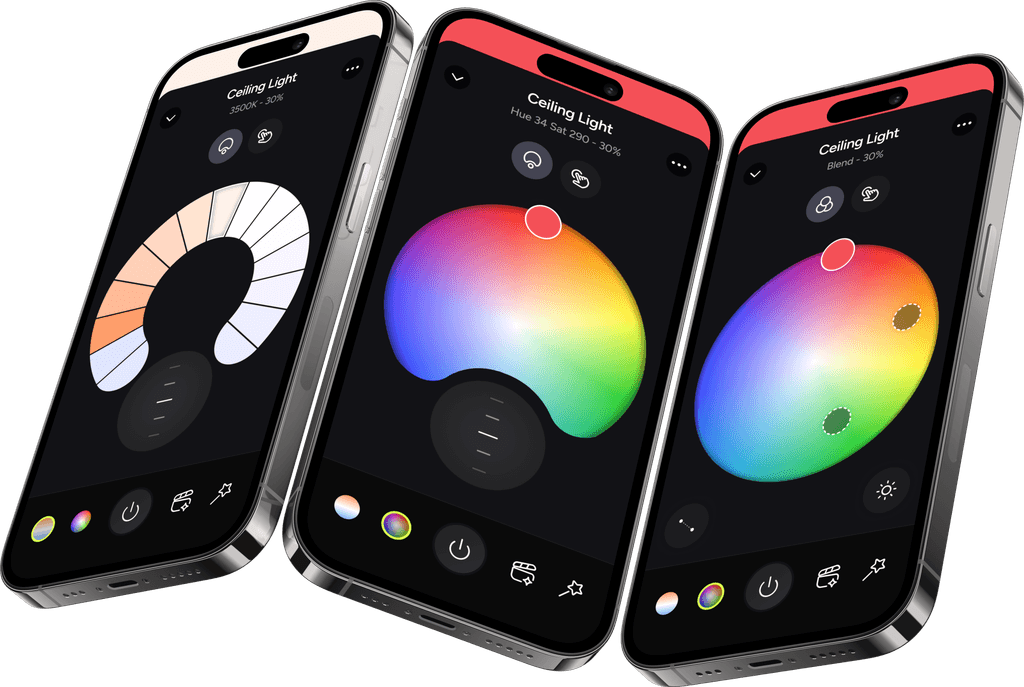
The LIFX app lets users control and customise their smart lighting, group lights by room, and connect with smart home ecosystems.
Role
User Research, Research Synthesis, User Persona, IA mapping, Design Iterations, Interactive Prototype, Usability Testing
Team
Sole UX/UI Designer (me): End-to-End Product Design
Timeline
2 months
Project Overview
Problem
LIFX launched an advanced lighting control screen (B) with expanded functionality, but some users found it frustrating and difficult to use.
Constraints
The redesign needed to retain familiar, legacy interaction patterns (A) while supporting advanced features.
Approach
I investigated usability issues and user behaviour through research, then used the findings to inform the redesign of the control screen.
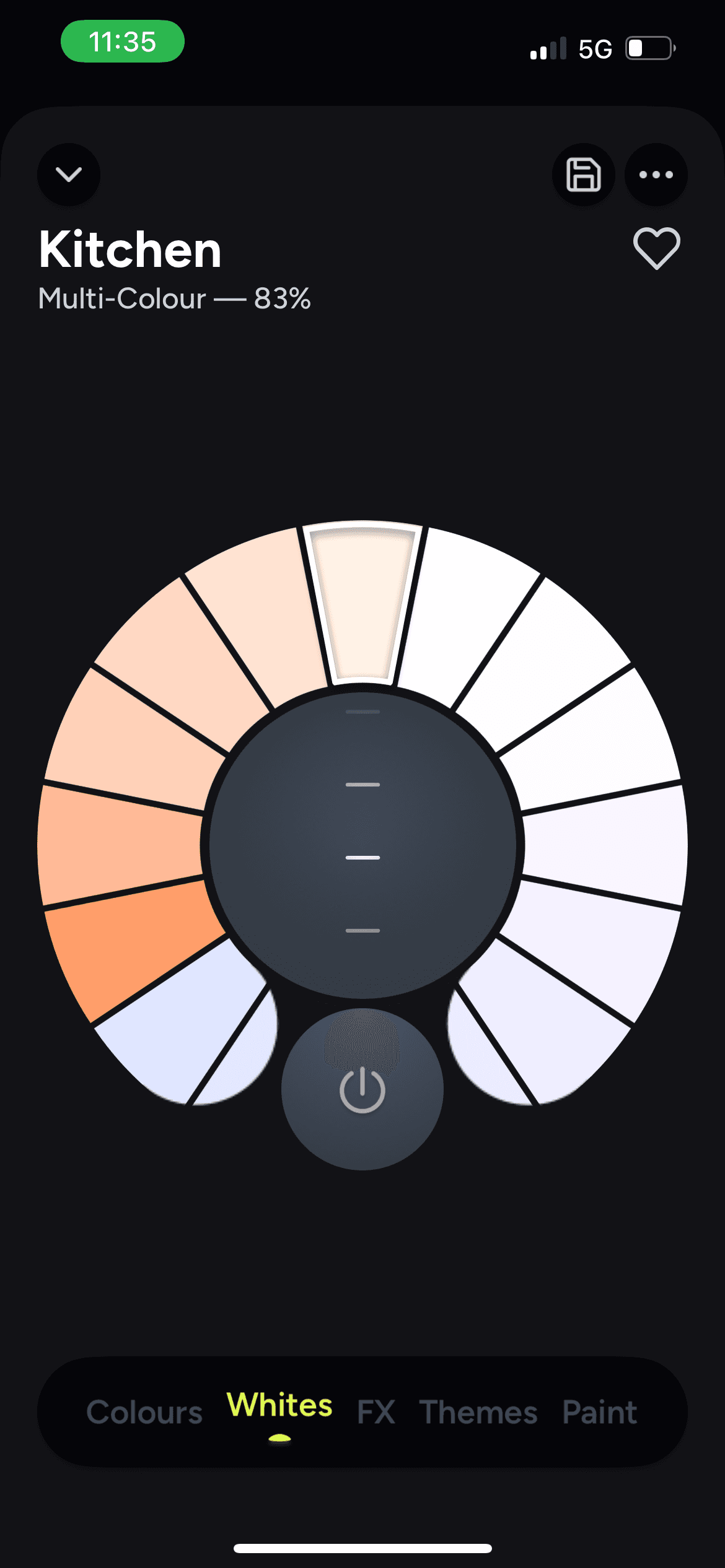
Legacy control
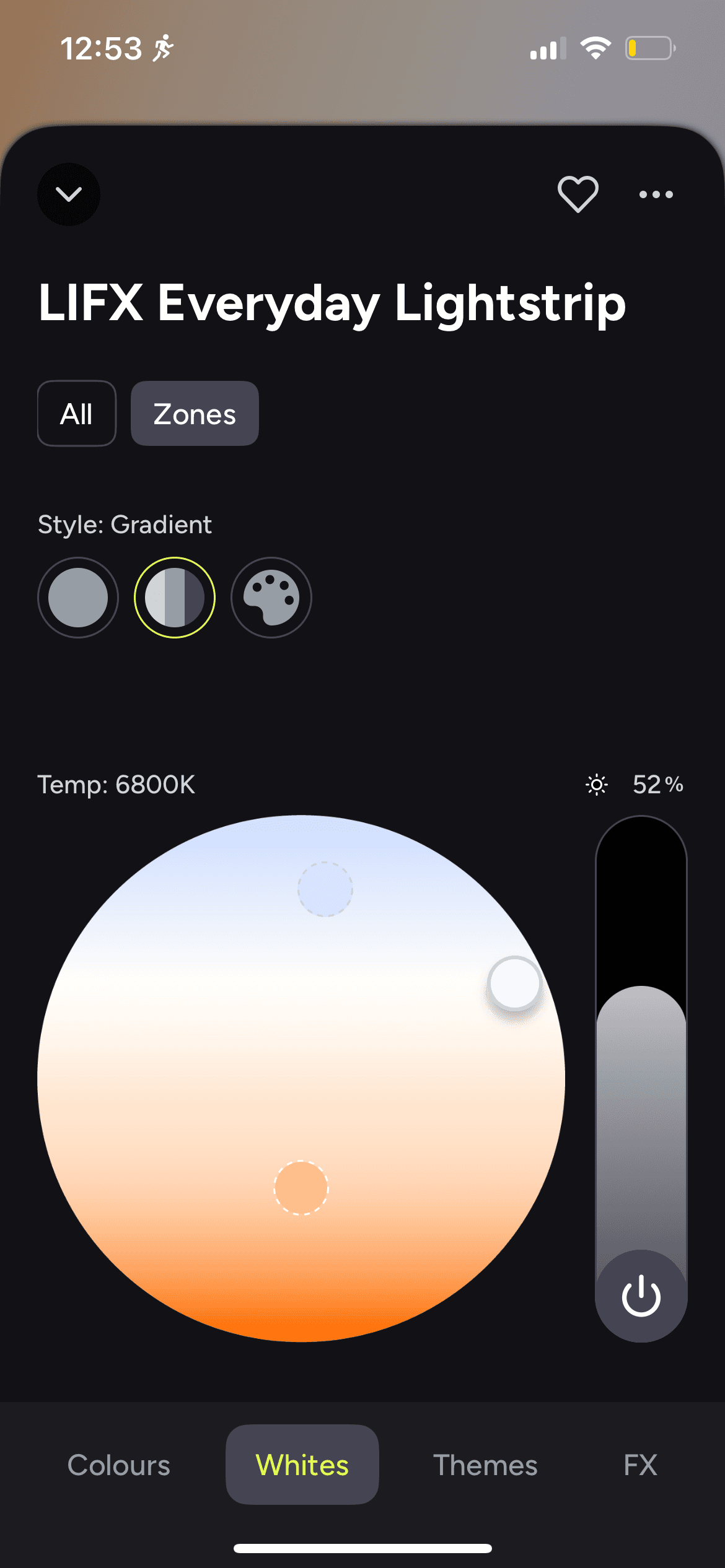
B. Advanced control
Starting with Research
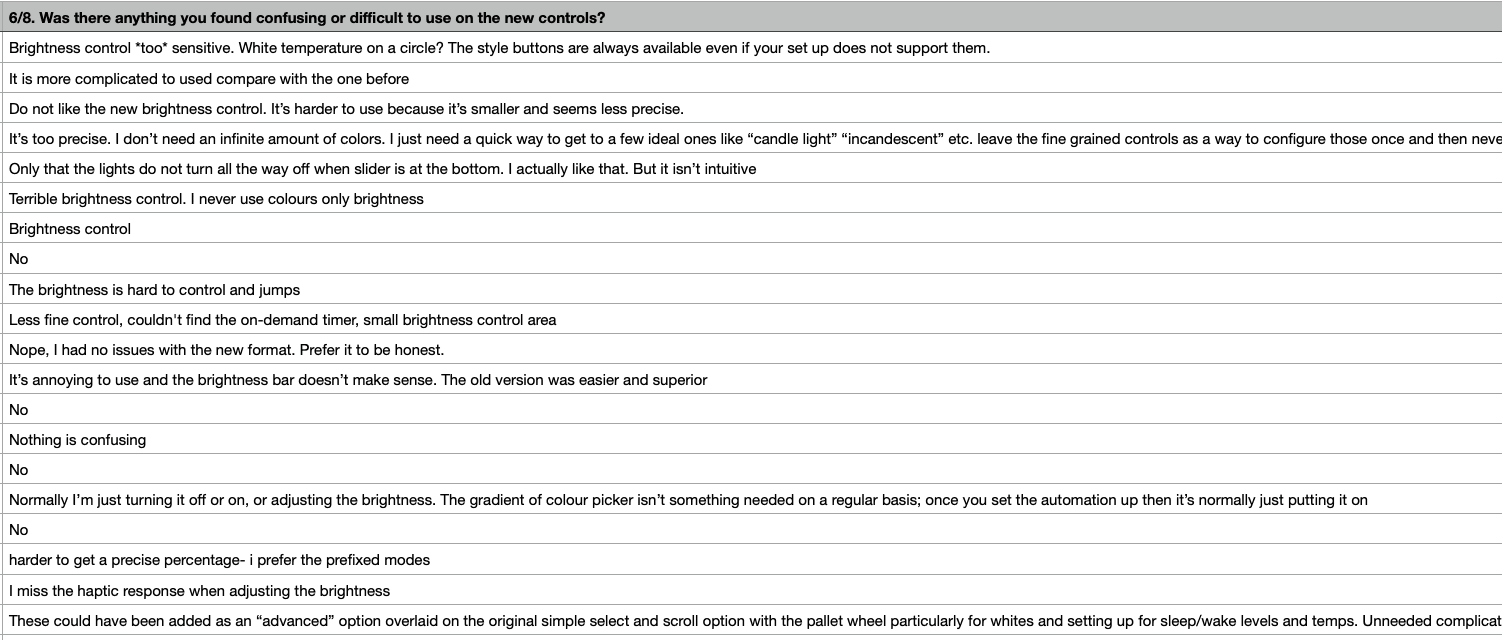
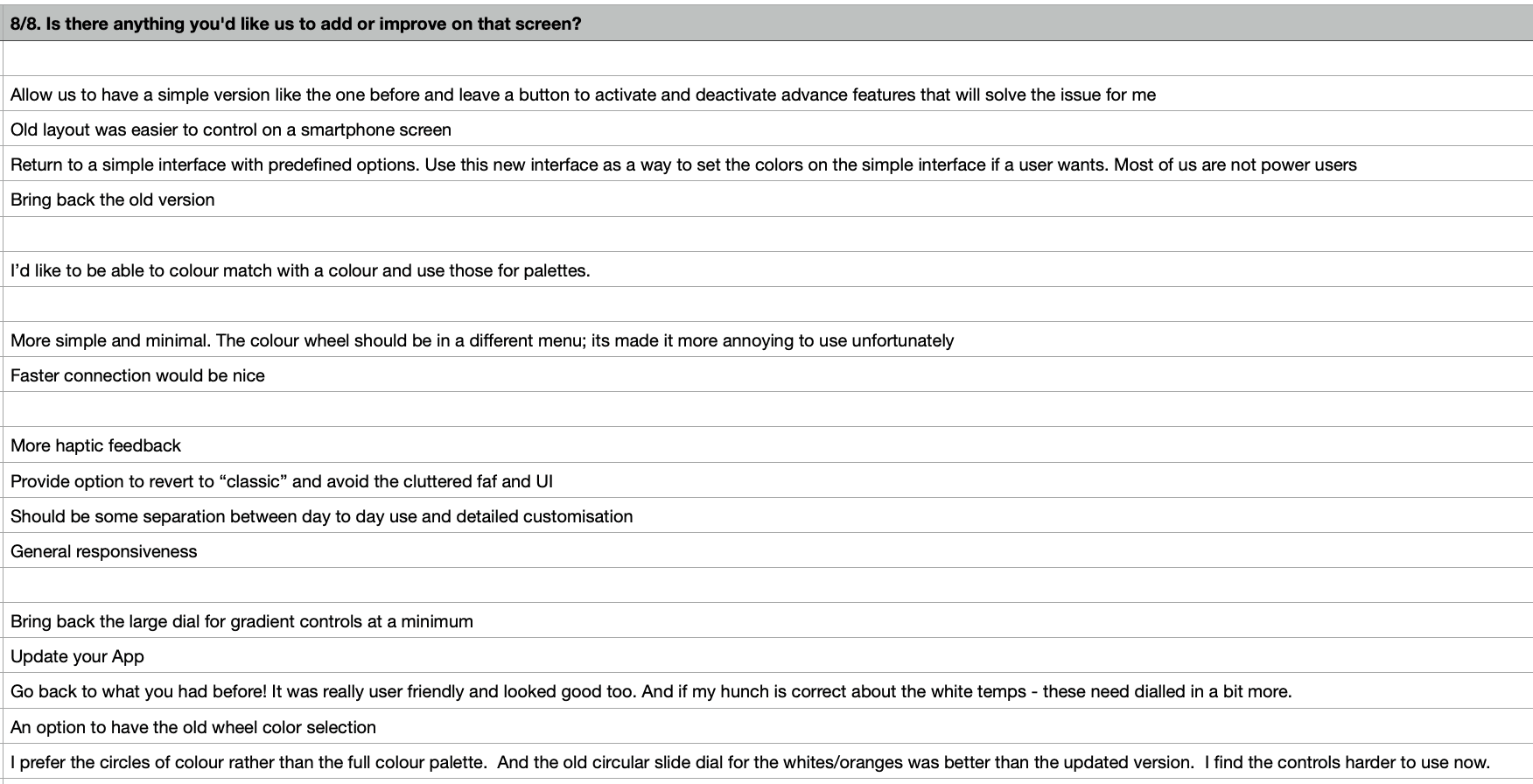
Alongside reviewing user comments and Firebase analytics, I conducted two surveys combining open-ended & closed-ended questions: one for users who reverted back to the legacy control (Survey A) and another for users of the advanced control (Survey B), aiming to understand the specific factors driving their experiences.
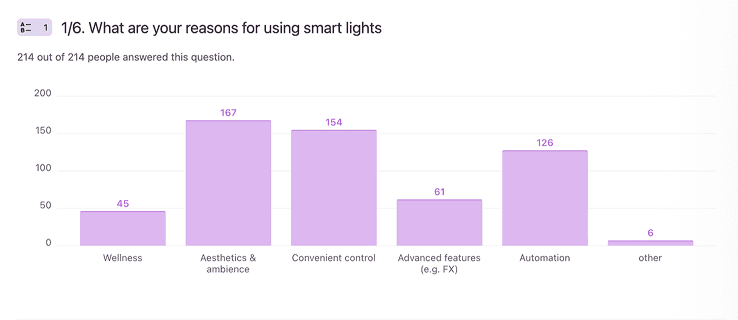
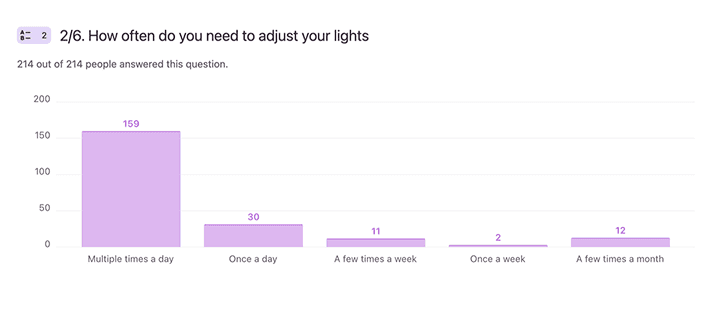
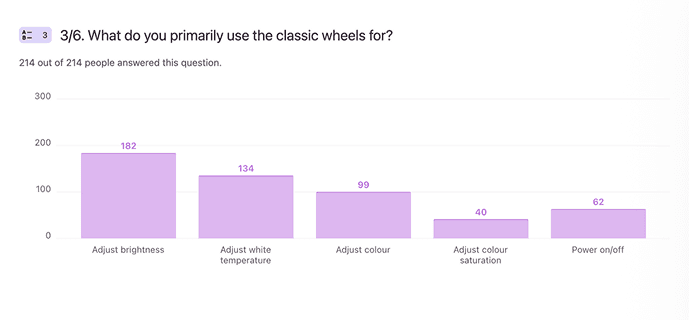
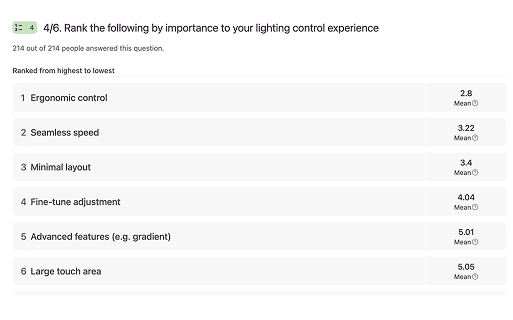
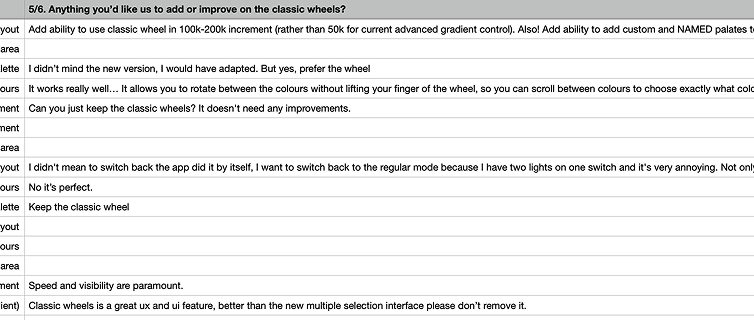
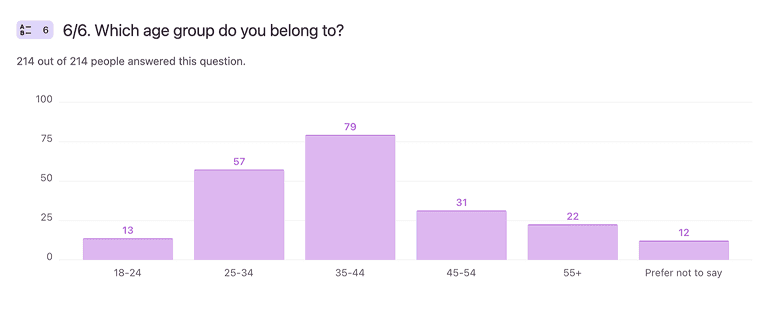
Survey A - 214 participants
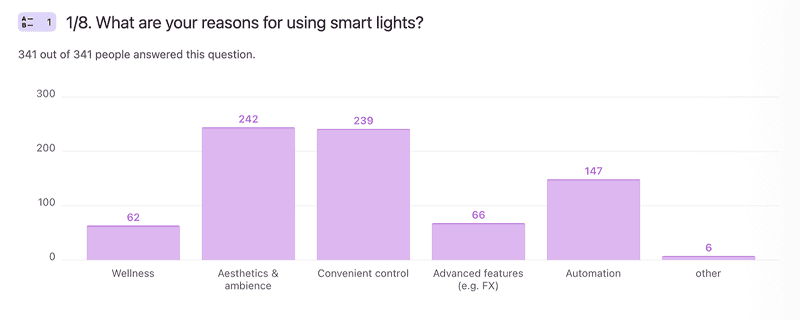
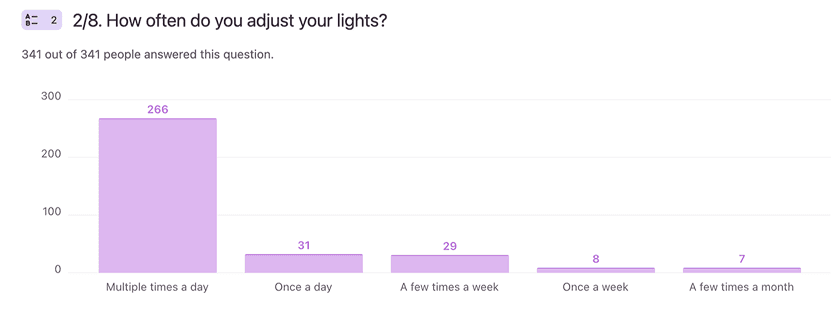
Survey B - 341 participants
What the Data Told Us
#1
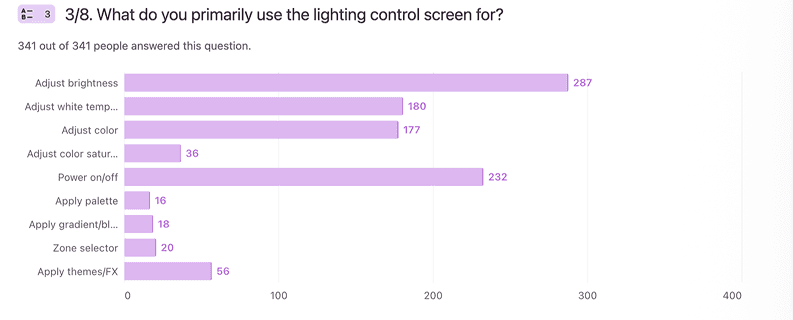
Three controls drive 70% of daily use
Brightness, power, and white temperature account for the vast majority of daily use (roughly 70% of interactions), regardless of product type or user segment.
#2
Key pain points with the advanced control screen
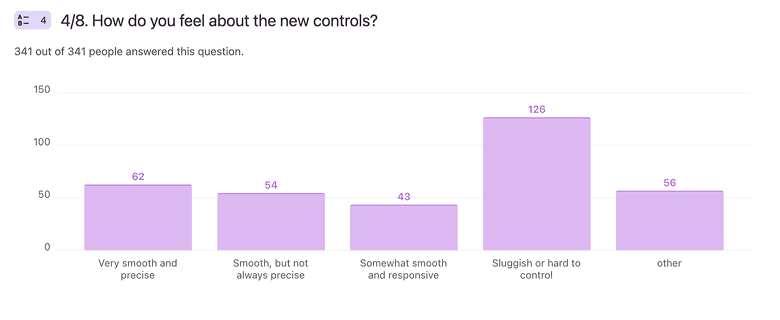
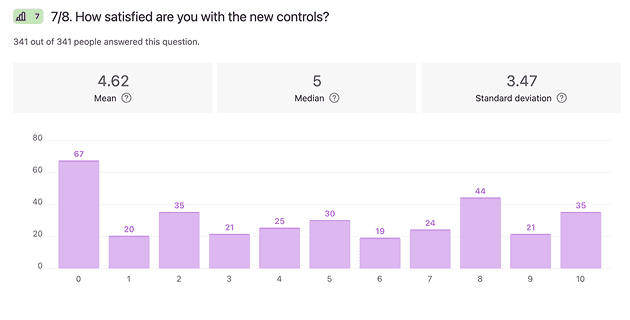
49.6% of advanced control users were dissatisfied. Main pain points: brightness slider (88%), white wheel (57%), precise selection (38%), and interface complexity (35%).
#3
Even power users switched back to legacy controls
Users who switched from the advanced screen back to the legacy screen owned an average of 9 devices (SD = 7.15), suggesting they were power users, contrary to expectations.
Key usability issues identified:
Brightness Control
Slider too small, off-centre
Lacks precision; hard to make fine adjustments (e.g., 1–3% brightness)
Slider jumps / is overly sensitive, making gradual changes frustrating
Lacks haptic feedback or visual cues for precise control.
Tone Selection
Wheels overly precise for daily use
Difficult to select desired kelvin (e.g., 2500K)
The circular white wheel is less intuitive than a linear warm-to-cool slider
Lack of quick access to commonly used colours/temperatures
Interaction & Layout
Layout feels cluttered, overwhelming, and less tactile
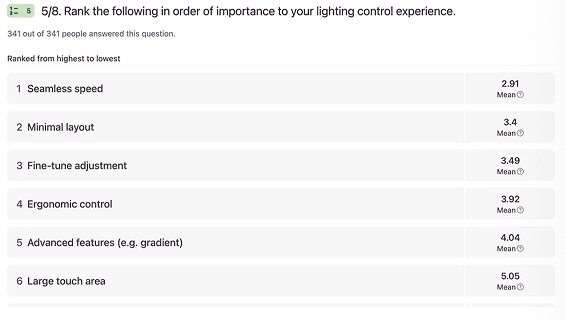
Core daily tasks (brightness, white selection, power) are given lower priority than the advanced functions
Small touch areas make controls harder to use
User segments defined:
White-only User
Frequent daily adjustments
Needs speed and precision
Clean interface with essential functions only
Rarely explores advanced features
Palette User
Relies on saved favourites and presets
Occasionally tweaks & saves
Changes scenes based on activity or mood
Structured over freeform
Multi-Colour User
Need granular colour adjustments (e.g. saturation)
Prefers manual over presets
Occasional zone-level adjustments
Confident with advanced tools
Design Priorities
These findings shaped four design priorities, focused on resolving usability issues and accommodating different lighting preferences.
Feature Hierarchy
Frequently used controls stay visible, while advanced features are revealed when needed.
Always visible: Covers ~70% of daily interactions
Power
White Wheel
Brightness
↪
1 tap to reveal: On-demand access
Colour Wheel
Palette
Advanced wheel
Zones
Themes
Effects
↪ ↪
2 taps to reveal: Low-frequency, power-user features
Gradient
Blend
Radial
Picker Combination
Design Iteration
1) Improving wheel functionality
Users valued the legacy scroller, so I retained it while improving around it. The new wheel draws on the brand logo’s circular form, making room for clearer colour selection while preserving familiar interactions.
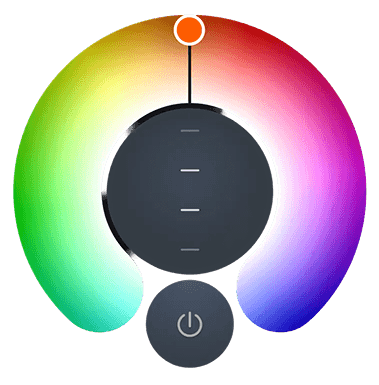
Legacy wheel
+
Brand logo
=
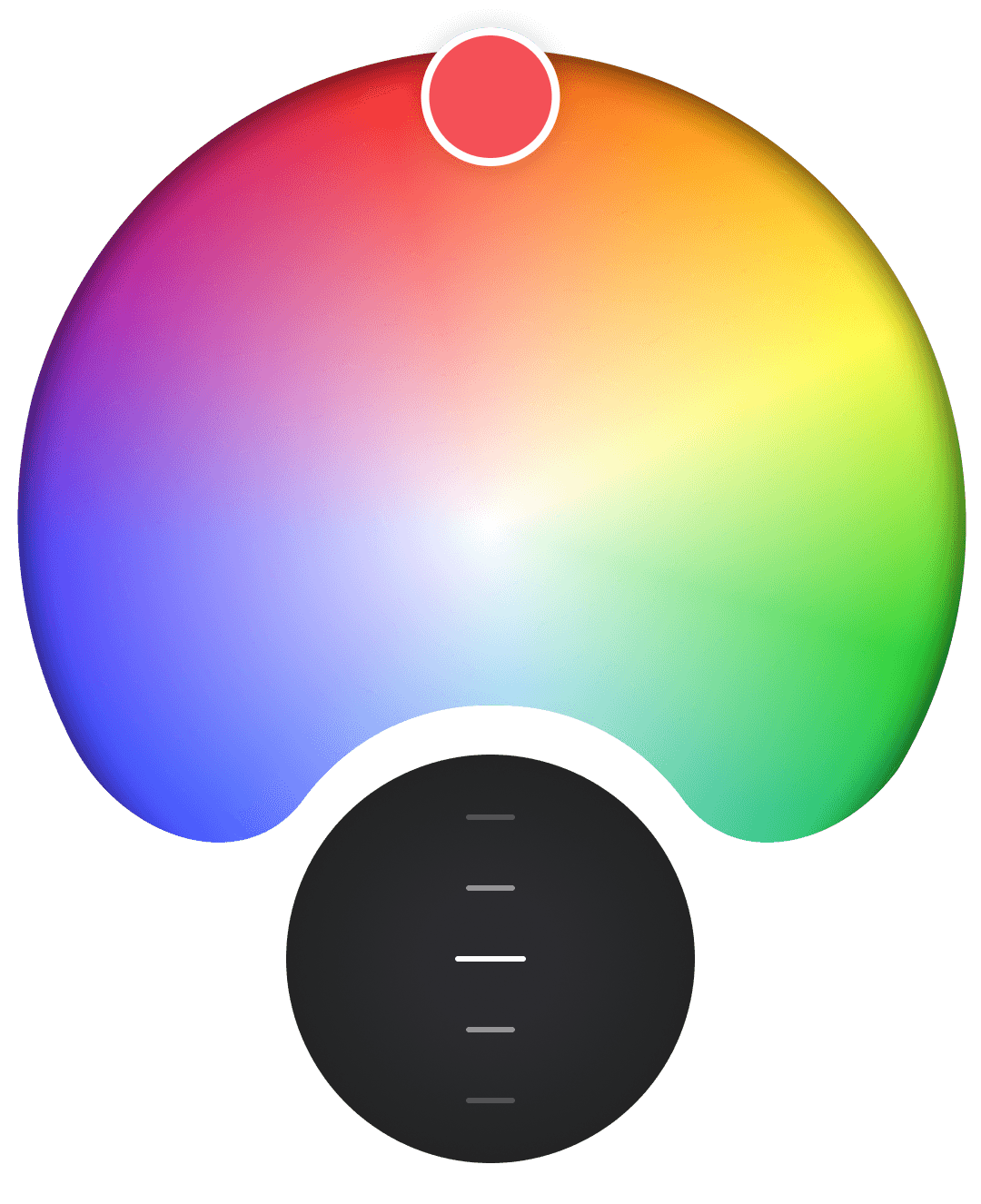
New shape
2) Layering the controls
I iterated on different layouts to simplify the controls, exploring a secondary layer for advanced features, clearer placement of core controls, and better visual balance.
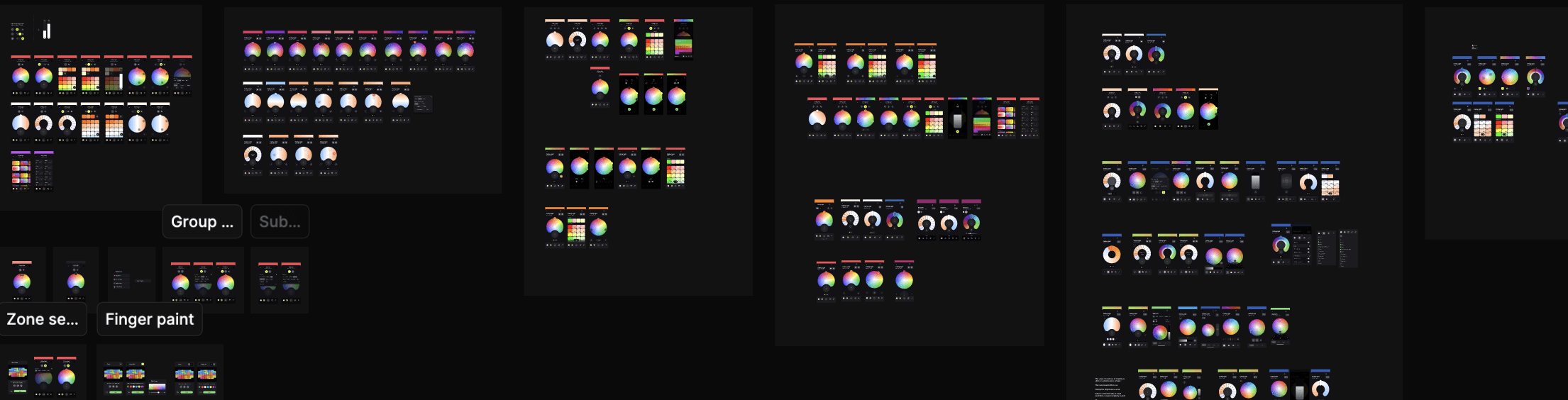
final design
Switchable layout
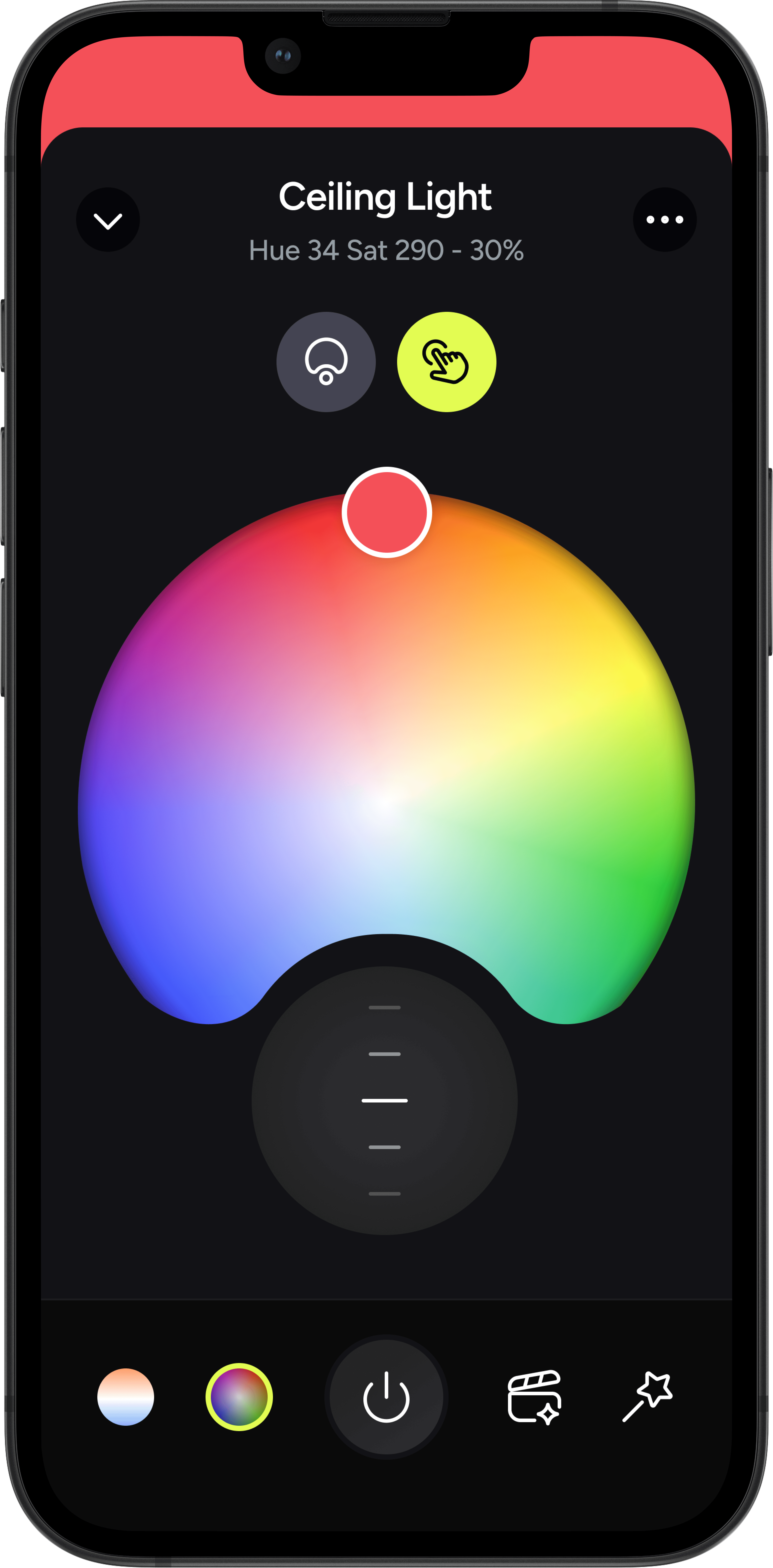
Supports Wheel, Palette, and Multi-colour users through separate layouts tailored to their needs, accessible via a switchable tab
Ergonomic brightness scroller
A centred grey scroller provides granular control matching daily behaviour. Haptic feedback at key thresholds.
Dial or tap to select
Preserves legacy dial-based interaction — rotate to browse, tap to select. Familiar muscle memory retained.
Colour selection (wheel)


Label-free tab bar
Replaced text labels (White, Colour, Themes, Effects) with intuitive icons to reduce visual clutter & localisation challenges
Dialling segments
The white wheel retains legacy dialling segments to support the most common use case, with defined presets and familiar dial behaviour that allows gradual adjustments without requiring precise finger movements. Its linear form reflects the warm-to-cool transition.
Unified geometry
The white segment wheel is refined to align with the 'Colour' wheel layout, ensuring visual consistency.
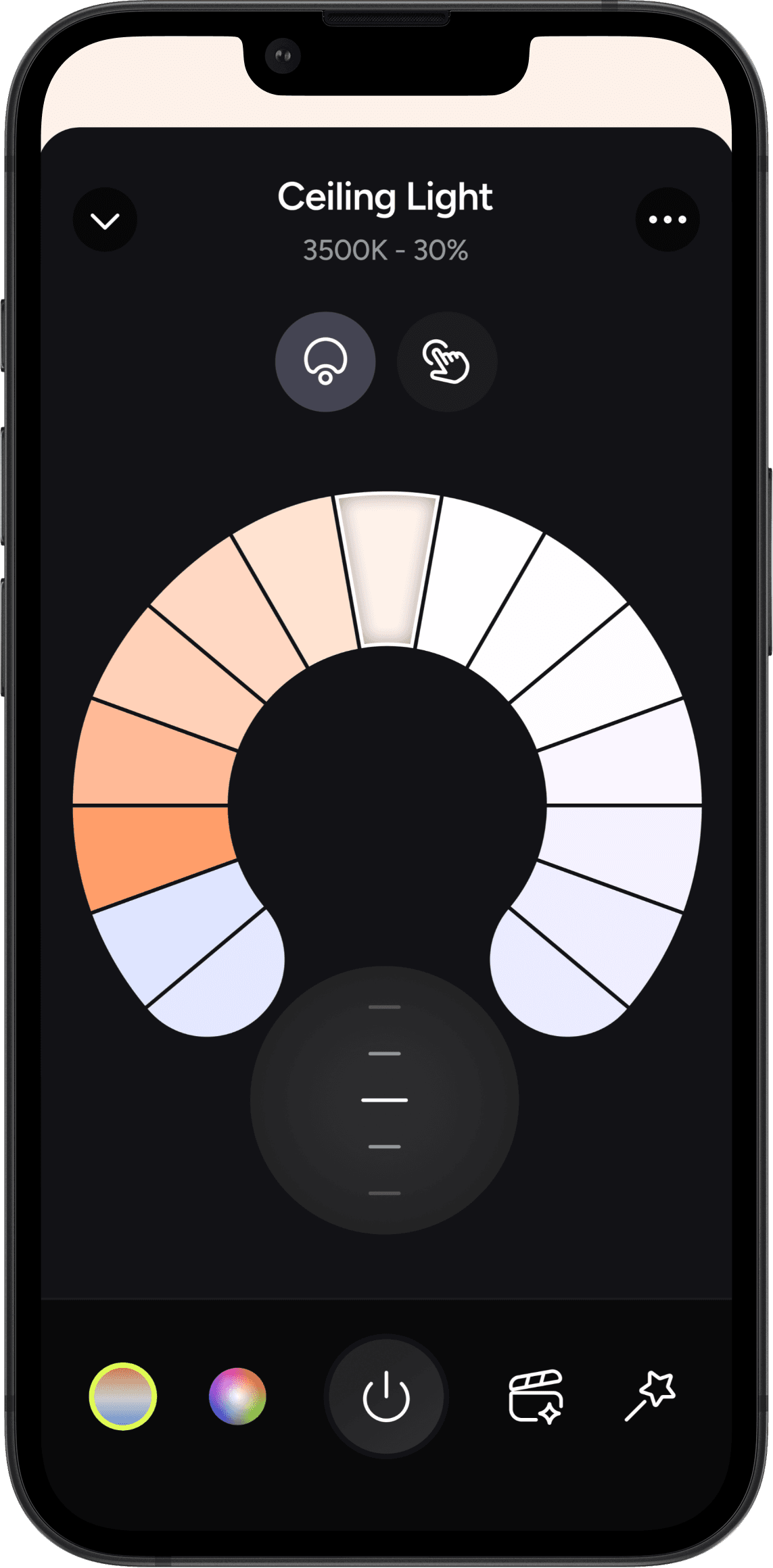
White selection (wheel)
Centred layout
A centred layout creates visual balance and strengthen clarity.
Brightness control shortcut for Palette & Multi-colour users
As palette presets include predefined brightness values, the need for precise brightness control is reduced for Palette users.
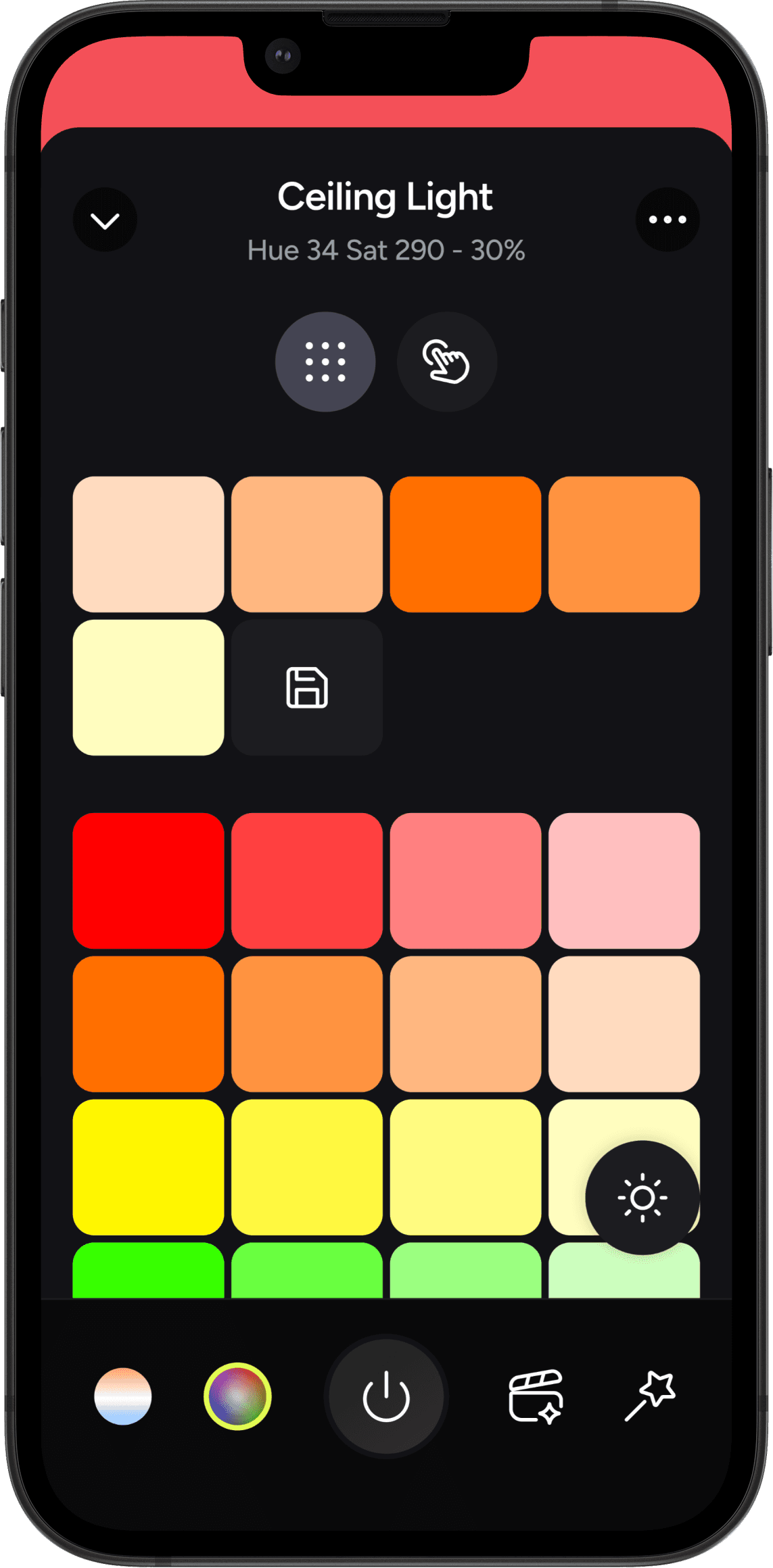
Colour selection (palette)
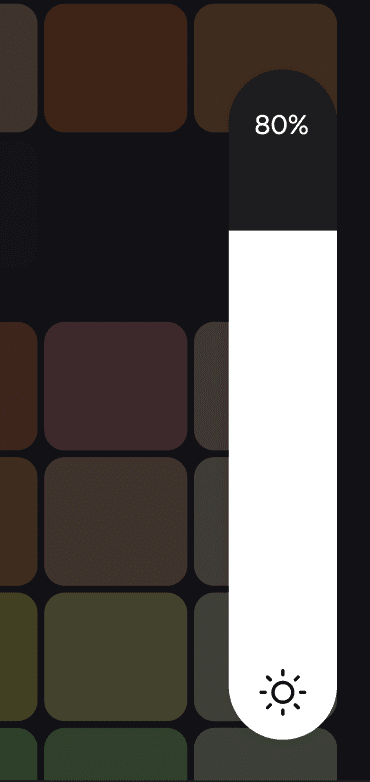
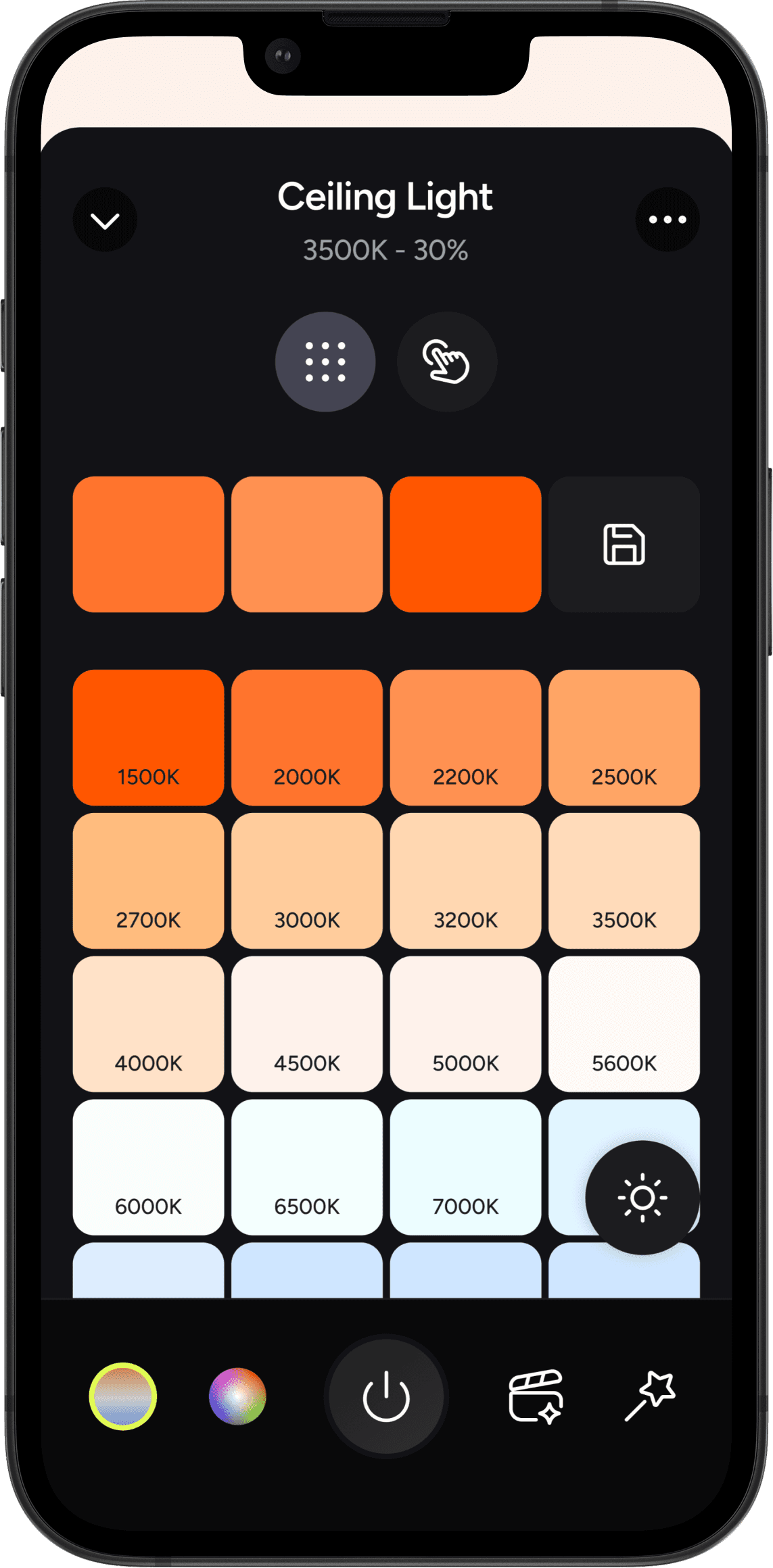
White selection (palette)
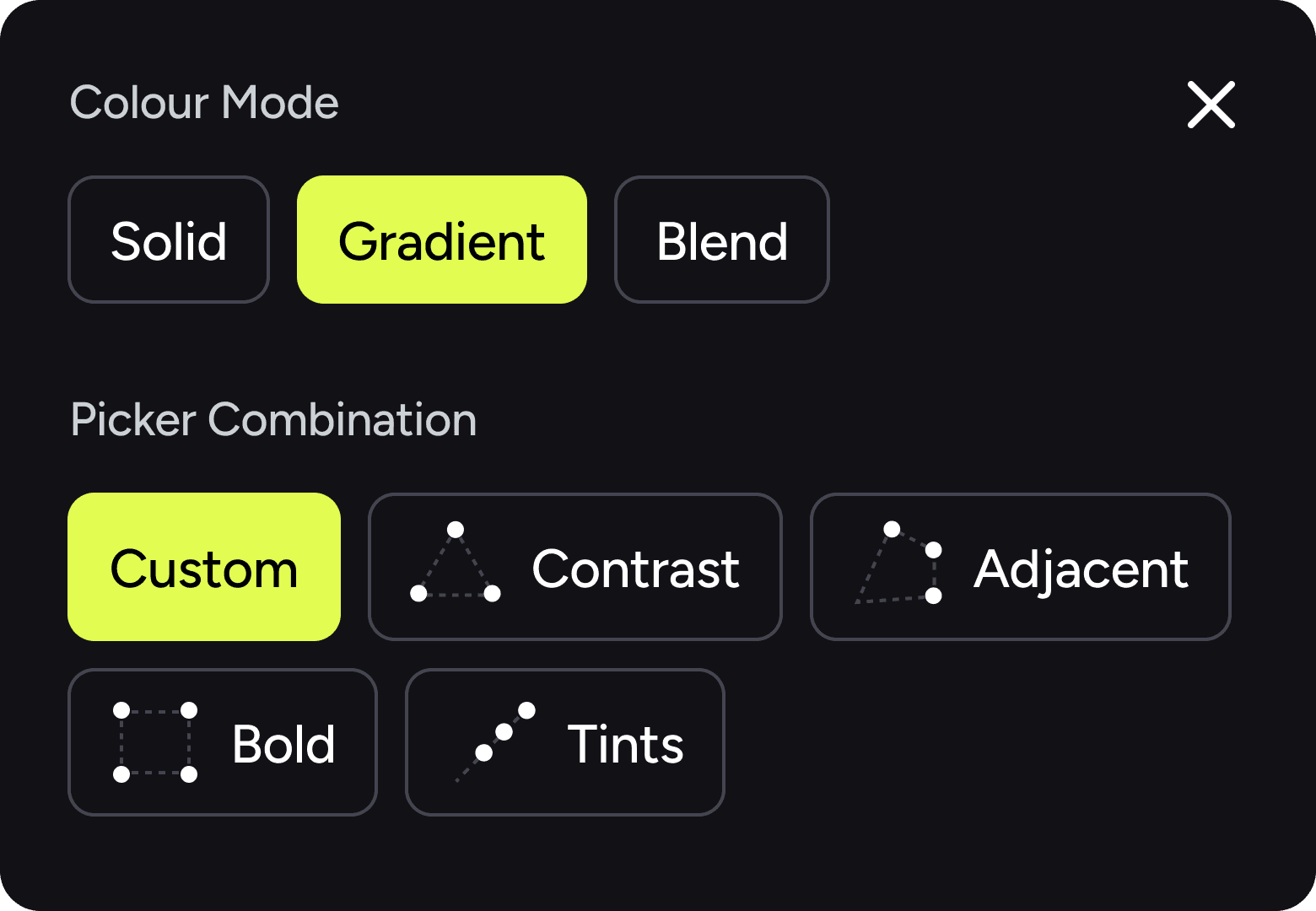
Advanced settings
Colour blending mode and picker combination settings are tucked into a tertiary panel, as they are low-frequency actions.
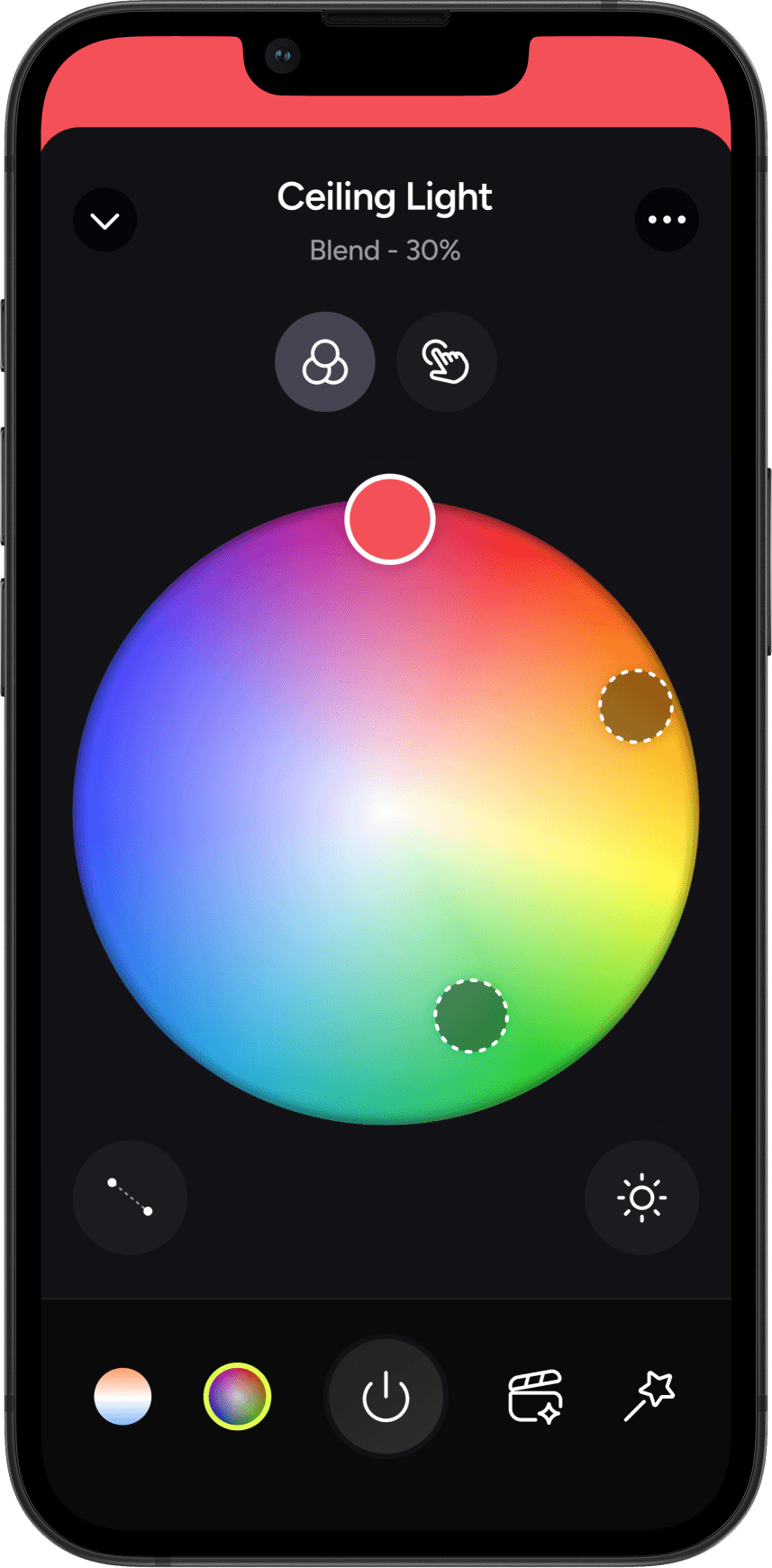
Colour selection (multi-colour)
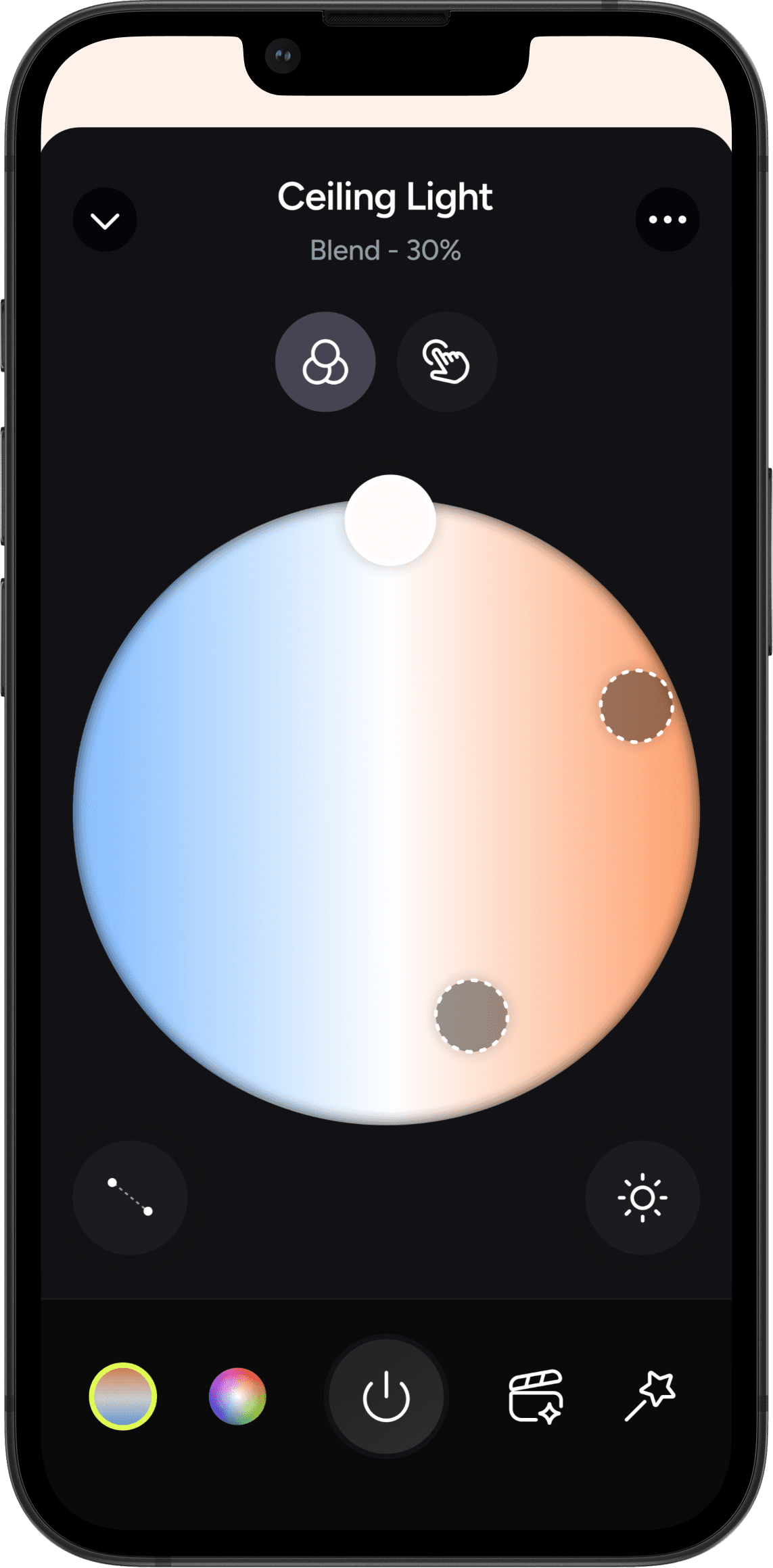
White selection (multi-white)
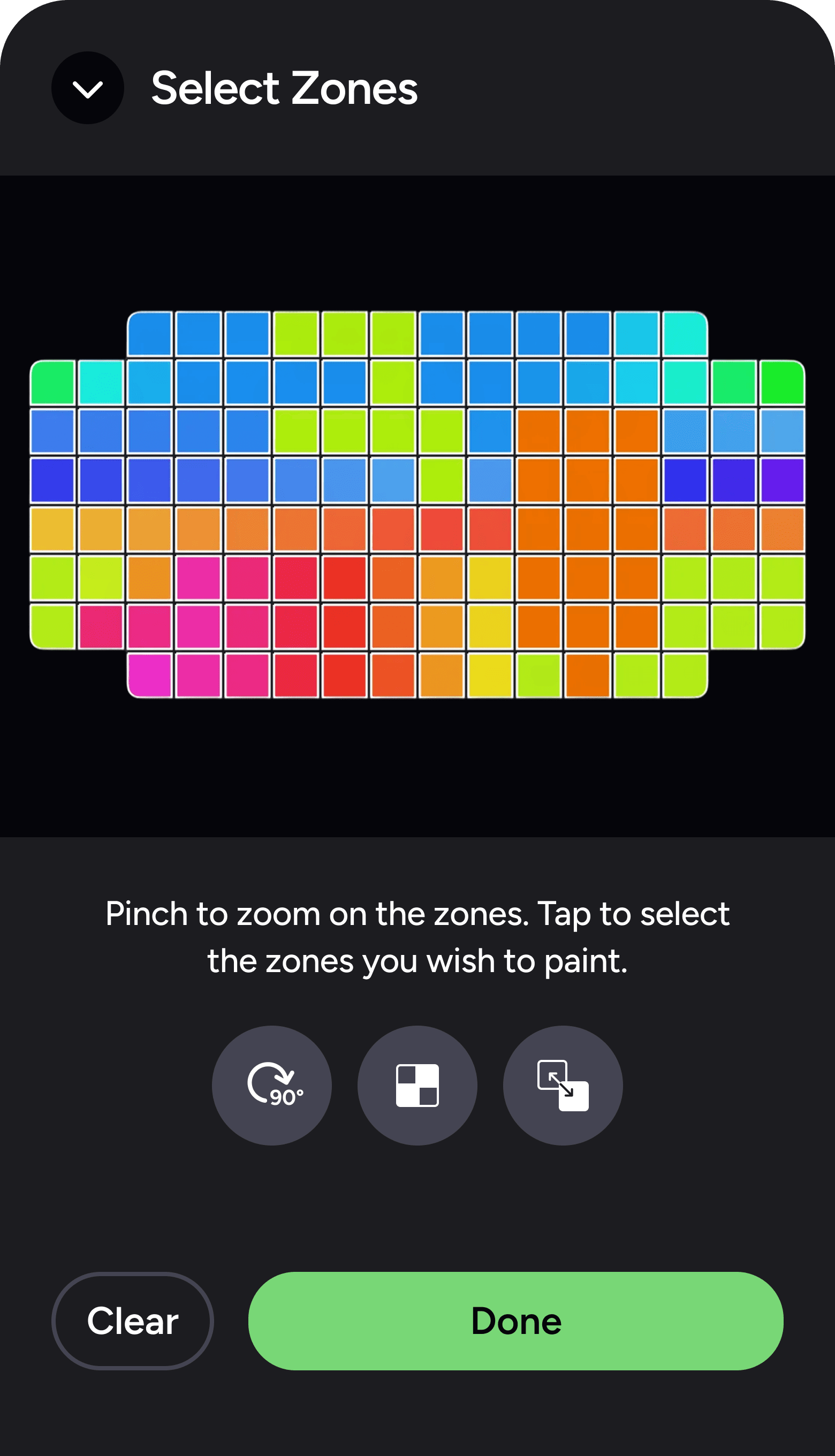
Zone selector
The zone selector remains visible alongside the layout selection tab,. Users can access the panel to select zones of the lighting product and assign different colours.
Colour selection (wheel)